Close Menu
STEREO GUIDE
  • Home
  • Bluetooth Speakers
    • Home/Indoor
    • Mobile/Outdoor
    • Stereo Speaker Sets
    • Bluetooth Speaker Top List
      • Best Mini Bluetooth Speakers – Top List
      • Best Small Bluetooth Speakers – Top List
      • Best mid-size Bluetooth speakers – top list
      • Best Large Bluetooth Speakers – Top List
      • Best stereo Bluetooth speakers – top list
  • Headphones
    • In-Ears
    • On-Ear/Over-Ear
    • Noise-Cancelling
    • True Wireless
    • Gaming Headsets
    • Mobile headphone DACs
    • Home headphone amplifiers
    • Mobile digital audio players
    • Headphones Top List
  • Hi-Fi
    • WIFI Onebox
    • WIFI Stereo
    • Soundbars
    • Subwoofers
    • Turntables
    • Hi-Fi Top List
  • Car-Hi-Fi
    • Car Hi-Fi reviews
    • Car-Hi-Fi reports
    • Car Hi-Fi Top List
  • News, Guides & Top Lists
    • News
    • Trade Shows & New Releases
    • Top Lists
      • Bluetooth Speaker Top List
      • Headphones Top List
      • Hi-Fi Top List
      • Car Hi-Fi Top List
    • Popular Audio Brands
      • JBL
      • Sony
      • Bose
      • Yamaha
      • Sonos
      • Cambridge Audio
      • Sennheiser
      • Klipsch
      • Nubert
      • Teufel
    • Buying Guides
    • Technology
    • Acoustics
    • Streaming
  • About us
    • Our approach
    • About us
  • English
    • German
Facebook Instagram RSS YouTube TikTok
YouTube Facebook Instagram TikTok LinkedIn
STEREO GUIDE
  • Home
  • Bluetooth Speakers
    • Home/Indoor
    • Mobile/Outdoor
    • Stereo Speaker Sets
    • Bluetooth Speaker Top List
      • Best Mini Bluetooth Speakers – Top List
      • Best Small Bluetooth Speakers – Top List
      • Best mid-size Bluetooth speakers – top list
      • Best Large Bluetooth Speakers – Top List
      • Best stereo Bluetooth speakers – top list
  • Headphones
    • In-Ears
    • On-Ear/Over-Ear
    • Noise-Cancelling
    • True Wireless
    • Gaming Headsets
    • Mobile headphone DACs
    • Home headphone amplifiers
    • Mobile digital audio players
    • Headphones Top List
  • Hi-Fi
    • WIFI Onebox
    • WIFI Stereo
    • Soundbars
    • Subwoofers
    • Turntables
    • Hi-Fi Top List
  • Car-Hi-Fi
    • Car Hi-Fi reviews
    • Car-Hi-Fi reports
    • Car Hi-Fi Top List
  • News, Guides & Top Lists
    • News
    • Trade Shows & New Releases
    • Top Lists
      • Bluetooth Speaker Top List
      • Headphones Top List
      • Hi-Fi Top List
      • Car Hi-Fi Top List
    • Popular Audio Brands
      • JBL
      • Sony
      • Bose
      • Yamaha
      • Sonos
      • Cambridge Audio
      • Sennheiser
      • Klipsch
      • Nubert
      • Teufel
    • Buying Guides
    • Technology
    • Acoustics
    • Streaming
  • About us
    • Our approach
    • About us
  • English
    • German
STEREO GUIDE
Home » Guides » Streaming » Buying Guide: Google Chromecast Streaming
Multiroom Streaming Technology Guides

Buying Guide: Google Chromecast Streaming

Wireless streaming with audiophile sound quality and maximum convenience
Stereo GuideStereo Guide1. May 2023
Facebook Twitter Pinterest WhatsApp Email
Canton Smart Soundbox 3 with smartphone using Google Chromecast wireless transmission
Canton Smart Soundbox 3 with Google Home and Chromecast Built-in (Image: Canton)

If you want to play digital music through multiple streaming speakers in your home or a networked hi-fi stereo system, you’ll soon be faced with the question: do you want to buy an entire multi-room system and be tied to a manufacturer’s hardware, or use the existing devices with the help of streaming software? Those who find the possibilities via Bluetooth too limited and the focus of Apple Airplay 2 on the company’s own devices too pronounced will quickly end up with Google Chromecast.

This is because, unlike its Apple counterpart, Chromecast is an open standard and plays from virtually any mobile device that runs the corresponding app. What the system can do, which devices it is compatible with and how it works are summarized below in this short guide.

Google Cast, Chromecast, Chromecast Built-in?

At first glance, Chromecast performs similar tasks as Bluetooth or Apple Airplay 2 – it is a transmission protocol for media content, i.e. (live) video, music or photos. The end device can be a TV, a WLAN speaker or another compatible audio device. The stream is usually started from a smartphone, tablet or computer. Means you start the corresponding stream in your video or audio app, press the characteristic Chromecast logo and then select the target device from a list. After a short pause (which may take a little longer depending on the network and devices), music or video is redirected to the corresponding playback device and continues to play there.

The terminology is a bit confusing, because Google marketed its own streaming dongle as a supplement to the TV under the name Chromecast at the same time, called the protocol Google Cast for a while, and the compatible end devices often bear the seal “Chromecast Built-In”. However, the technology, now in its 3rd generation, is the same and everything is compatible with each other.

These sources are supported

This is especially true for the source devices, as compatibility is no problem not only with Android and Windows devices, but also with Apple’s iPhone and iPad thanks to available apps.

Things also look good when it comes to music apps or streaming services, as the top dogs Spotify and Apple Music stream to the compatible endpoints via Google Chromecast. With Amazon Music, however, things are a bit more complicated.

The video/TV streaming services are even better integrated: Besides Netflix and DAZN, Disney+ and Amazon Prime Video are also running, as well as the apps of numerous TV channels, including public broadcasters. Not to mention the streaming apps from some telecom providers like Telekom and O2.

Technically, Chromecast, similar to Airplay 2, works within an existing home network/WLAN. However, this requires that both the senders and the receivers are in this network and are registered there. Connecting the devices also requires setup via Google Home and the corresponding pre-registration.

What can Chromecast do better than Bluetooth and Airplay 2?

Perhaps the most important aspect to prefer a connection via Chromecast is the possibility to use multiple devices on both the transmitter and receiver side at the same time. Chromecast is fully multi-room capable, and also supports the integration of Google Assistant, provided that the corresponding device is equipped for it.

This way, the Google Assistant voice control can be used even if no mobile device is available as a remote control or to start the stream.

Starting a stream from the mobile device works superficially similar to Bluetooth or Airplay 2: From an app like YouTube Spotify or similar, you select what you want to listen to and specify the target device or an entire group. However, as soon as the stream is started, it is no longer transmitted via the smartphone or tablet, but sent directly to the target device, i.e. speakers or TV.

You can even turn off the smartphone, take it off the network or do something else with it, the stream will continue. This also works from video apps like YouTube or Netflix with an end device that cannot play video. Then only with the soundtrack, which is of course practical.

If you have an Apple TV , you can even use this function to turn it into an Airplay2 transmitter and forward the audio track to a stereo system or an Airplay2-enabled speaker.

Which source devices support the Chromecast standard?

For devices running Android, Windows, or iOS, or with an up-to-date Chrome browser available, there is no problem setting up Chromecast. Google Home should also be executable for setup.

Which devices support Chromecast?

WLAN speakers and digital hi-fi components are only Chromecast-compatible throughout from certain manufacturers. The penetration is not as high as Apple Airplay 2, but some systems and serious HiFi devices are also included. Not for typical Bluetooth-only speakers, though, because WLAN connectivity is a must. Many closed systems with WLAN streaming, such as Sonos or Denon Home/Heos, also do not have Chromecast compatibility.

These speakers/hifi manufacturers support Chromecast (official manufacturer list from Google, with some manufacturers only parts of the range are Chromecast Built-In)

Of the better-known and more sophisticated multi-room systems, Bang&Olufsen, Canton, Pioneer, Harman/Kardon, JBL and Teufel/Raumfeld support the Google standard. For hifi components, the spread is not quite as far yet, but many models from NAD, Primare, Pioneer, Onkyo and Sony are included.

The quota for TVs does not look quite as good yet, but Sony, Philips and Sharp, for example, support the Google standard. Controlling a TV can also be done via HDMI dongle, the corresponding Google Chromecast box is inexpensive.

Google Chromecast vs Apple Airplay 2

In terms of capabilities, Google Chromecast, as a universal streaming protocol, offers similar basic features as Apple’s Airplay 2. However, the way it works is fundamentally different, and there are also a few things to consider before choosing a device that only supports one of the protocols. Google Chromecast is ahead in many cases, especially due to the following advantages:

  • Extensive compatibility with source devices, even iPhone, iPad and Co work without problems
  • significantly more battery-efficient, because data-intensive streams, once started, are sent past the mobile device directly to the end point. The stream continues even if there are connection problems.
  • a mobile device with a screen is no longer absolutely necessary, so you can continue to make a phone call with your smartphone or watch another video with your tablet while the stream is sent directly to the speakers
  • higher audio resolution and more advanced multi-room functionalities: Chromecast masters hires with 96/24 streams
  • more options when using the voice assistant via the end device: many Chromecast-compatible end devices offer a fully-fledged integration of Google Assistant
  • significantly cheaper dongles for the TV available

What are the advantages of Apple Airplay 2 instead of Google Chromecast?

  • higher penetration among end devices
  • very simple and safe startup compared to Google Home installation
  • stable multi-room access to multiple zone speakers when the mobile source device is moved around the network.
  • responds a bit faster when starting new streams

What are the disadvantages of Google Chromecast?

  • Partially significant waiting time from redirecting the stream to the start of playback
  • considerable latency (very annoying in live applications via mixed operation with/without cast)
  • Apple HomePod Mini review
  • Apple AirPods Pro 2 review
  • KEF LS 50 Wireless II review
App Control Chromecast Google Assistant Wi-Fi
Stereo Guide – Das HiFi-Magazin
Stereo Guide
  • Facebook
  • Instagram

On Stereo Guide you will find competent and objective tests for Bluetooth speakers, headphones and car HiFi by experienced journalists.

Related Posts

JBL Cove M1, P1, and X1: Multiroom with Dolby Atmos

JBL Cove M1, P1, and X1: Multiroom with Dolby Atmos starting at 230 euros

Home Game in Three Sizes

JBL Cove M1, P1, and X1: Multiroom with Dolby Atmos starting at 230 euros

Sonos 27

Sonos 27: ChatGPT, a new app, and portable surround speakers

Now ChatGPT is getting in on the action, too

Sonos 27: ChatGPT, a new app, and portable surround speakers

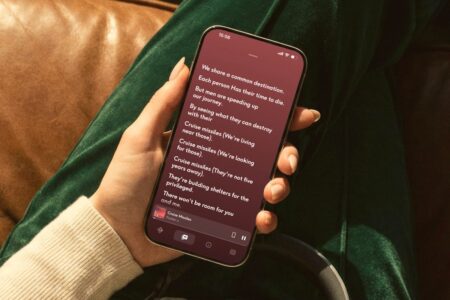
The Qobuz app now displays song lyrics

Qobuz Updates Its App: New Player with Lyrics, Credits, and Smart Music Discovery

Deeper Text Comprehension Thanks to the Update

Qobuz Updates Its App: New Player with Lyrics, Credits, and Smart Music Discovery

Fi Audio Unveils the NEO Stream 3 and ZEN Stream 3

iFi Audio NEO Stream 3 and ZEN Stream 3: New High-End Streamers Starting at 400 Euros

Solution for Qobuz Connect, Roon, and Hi-Res Audio

iFi Audio NEO Stream 3 and ZEN Stream 3: New High-End Streamers Starting at 400 Euros

Advertisement
Apheum Banner Englisch
Most viewed Articles
Edifier M60 Review Title

Edifier M60 review: desktop speaker with Bluetooth

Small wonder: tiny sound sensation for the desk

Edifier M60 review: desktop speaker with Bluetooth

Cambridge Audio L/R X Review

Cambridge Audio L/R X Review: Active Speakers with Streaming & Bass

Britannia Rules the Streams

Cambridge Audio L/R X Review: Active Speakers with Streaming & Bass

JBL PartyBox Ultimate 2 with an illuminated front panel and touchscreen

JBL PartyBox Ultimate 2: 1,500 watts, touchscreen, and AI karaoke

Ultimate, Turned Up

JBL PartyBox Ultimate 2: 1,500 watts, touchscreen, and AI karaoke

Sony ULT Tower 5 Review

Sony ULT Tower 5 Review: A 300-watt party speaker with deep bass

Let There Be Bass!

Sony ULT Tower 5 Review: A 300-watt party speaker with deep bass

Edifier M90 Stereo Bluetooth Speakers in Review

Edifier M90 Review: Compact Active Speakers with HDMI eARC

Small powerhouses with a big stereo soundstage

Edifier M90 Review: Compact Active Speakers with HDMI eARC

Latest Articles
Sony ULT Tower 7 Review

Sony ULT Tower 7 Review: 420 Watts and Plenty of Deep Bass

Big Bass, Heavy Baggage

Sony ULT Tower 7 Review: 420 Watts and Plenty of Deep Bass

QED Performance Cable Series

QED Performance: New Cables, from Speaker to USB-C

New connections

QED Performance: New Cables, from Speaker to USB-C

Yamaha R200A

Yamaha R200A: Stereo Receiver with Phono and Bluetooth for 369 euros

Old-school with good reception

Yamaha R200A: Stereo Receiver with Phono and Bluetooth for 369 euros

JBL Pulse 6 Price

JBL Pulse 6: Light Show, Deep Bass, and USB-C Audio for 300 euros

Pulse of the Night

JBL Pulse 6: Light Show, Deep Bass, and USB-C Audio for 300 euros

JBL PartyBox Ultimate 2 with an illuminated front panel and touchscreen

JBL PartyBox Ultimate 2: 1,500 watts, touchscreen, and AI karaoke

Ultimate, Turned Up

JBL PartyBox Ultimate 2: 1,500 watts, touchscreen, and AI karaoke

STEREO GUIDE – The Hi-Fi Magazine

Here on STEREO GUIDE – the online hi-fi-magazine – you will find profound and independent coverage on bluetooth speakers, headphones, home-hifi gear and in-car entertainment reviewed by experienced journalists. Our authors have one thing in common: expertise and a lot of listening experience both in terms of live concerts and state-of-the-art audio systems.

  • Home
  • Data protection
  • Imprint
© 2026 Stereo Guide

Type above and press Enter to search. Press Esc to cancel.

Manage cookie consent
We use cookies to optimize our website and service.
Functional Always active
Technical storage or access is strictly necessary for the lawful purpose of enabling the use of a particular service expressly requested by the subscriber or user, or for the sole purpose of carrying out the transmission of a message over an electronic communications network.
Preferences
The technical storage or access is necessary for the legitimate purpose of storing preferences that are not requested by the subscriber or user.
Statistics
The technical storage or access that is used exclusively for statistical purposes. The technical storage or access used solely for anonymous statistical purposes. Without a subpoena, the voluntary consent of your Internet service provider, or additional records from third parties, the information stored or accessed for this purpose alone generally cannot be used to identify you.
Marketing
Technical storage or access is necessary to create user profiles, to send advertisements, or to track the user on a website or across multiple websites for similar marketing purposes.
  • Manage options
  • Manage services
  • Manage {vendor_count} vendors
  • Read more about these purposes
Settings
  • {title}
  • {title}
  • {title}